About startup options
If you have multiple virtual machines, you may not want all VMs to start at once, as this can cause a longer period of increased IO delay.
You can configure the starstup order by VM dependency, for example, if you host network infrastructure, you may want to start it first, and then the application servers that depend on it.
VM settings
Click a virtual machine on your left side menu.
Then select Options and double click on Start/Shutdown order.
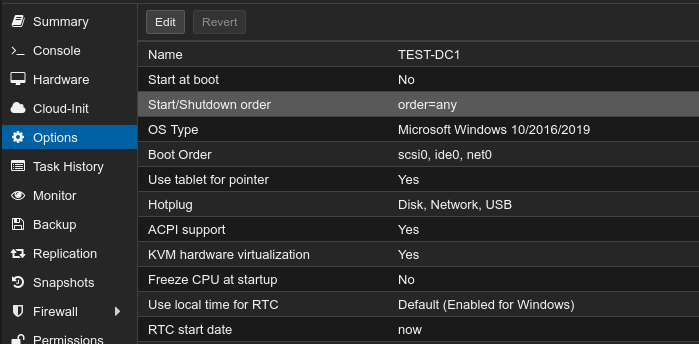
Menu explained
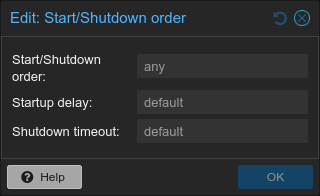
- You can set the order in which VMs are started and shutdown. On shutdown the order of execution will be reversed.
- Configure an optional startup delay for a VM. This can be useful if you have multiple VMs and want to stagger their startup.
- The shutdown timeout can be set to forcefully shutdown a VM after the specified time in seconds has passed. By default this is 180 seconds. This timeout only takes effect if the VM hasn't shutdown within the given time.